Step 1. Download the Zip file
Click here to download the ZIP file (56MB).
Your browser will start downloading a file like 115.1-desktop-installer-1.1.9.zip
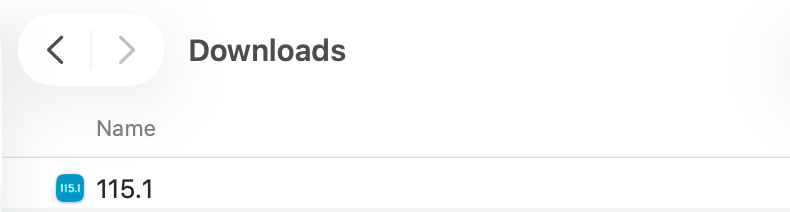
When the download finishes you should see it:
In the browser’s download bar, or
In your Downloads folder.
Step 2. Find and unzip the file
Click on Open file or go to the File Explorer and view the Downloads folder.
Double click on the zip file you just downloaded.
A new folder will appear, usually with the same name as the Zip file.
Step 3. Run the installer
Open the new extracted folder.
Look for a file like:
115.1 Installer-production-1.1.7.exe
Double–click that file.
If Windows asks Do you want to allow this app to make changes to your device? click Yes.
Windows SmartScreen message
You might see a Windows protected your PC or SmartScreen message like this:
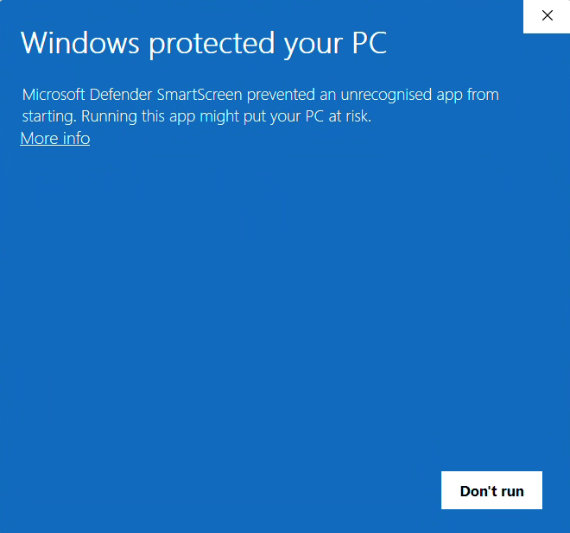
Click More info.
Confirm the publisher is the one you expect.
Click Run anyway to continue.
User Account Control message
You might see a Do you want to allow this app message like this:
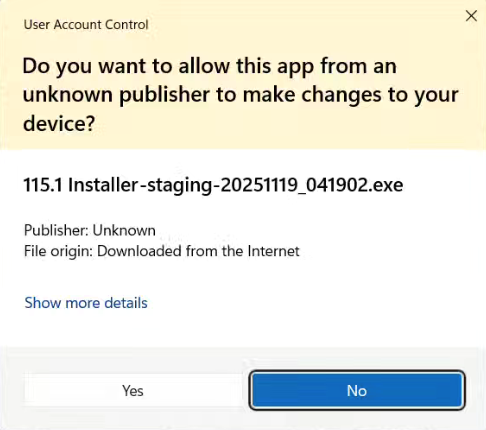
Click Yes to continue.
Step 4. Complete the setup
The installer will guide you through a few quick steps.
Choose the install location or accept the suggested folder.
Keep clicking Next until you see an Install button.
Click Install and wait for the system to finish extracting files.
When it finishes choose Launch 115.1 if that option is shown then click Finish.
Step 5. Open 115.1 later
After installation you can open 115.1 by:
Clicking the Start button and typing 115.1, or
Double–clicking the 115.1 shortcut on your desktop if one was created, or
Pinning it to your taskbar for quick access:
Right–click the app in the taskbar while it is open.
Click Pin to taskbar.
Troubleshooting
Nothing happens when I double–click the installer
Right–click the installer file and choose Run as administrator.
My antivirus blocked the installer
Check the message from your antivirus. You can trust the download source and allow the file then run the installer again.